


Buyers
Follow your purchase, your payments and your building from reservation to keys.
SiteSeer MyHome · for people buying off-plan
The buyer's side of your developer's project: monthly construction updates in 3D and 360°, every payment against a verified account, and every document signed and checked, in one place.
14
Stages, reservation to title
360°
Walks inside your floor
1
Account for home, money and documents
256-bit
Fingerprint on every signed copy
Built for the biggest purchase you will make
Your home, your money, your documents. Everything your developer, their site team and the advocates do on your home, shown to you as it happens.
01 · Your purchase
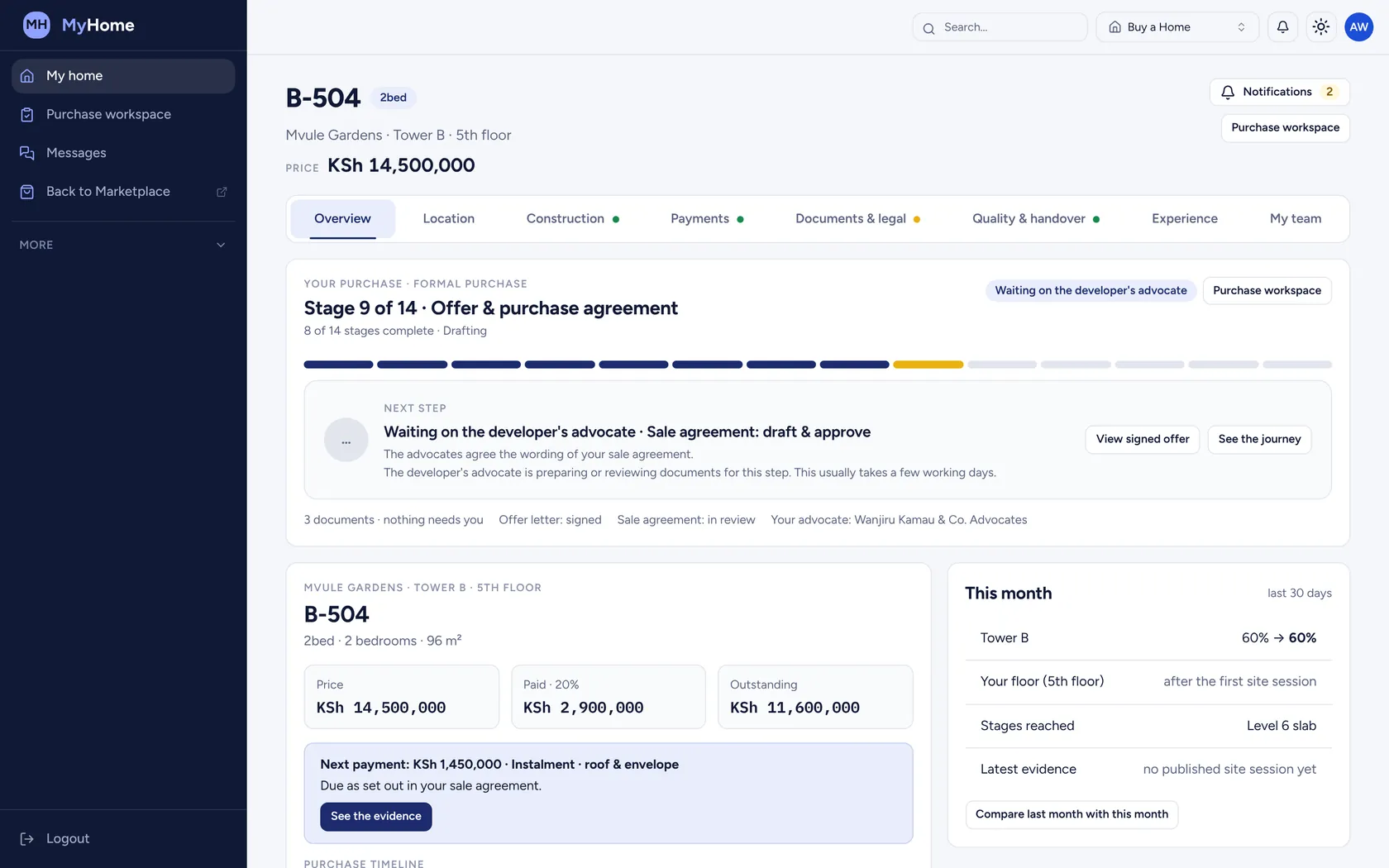
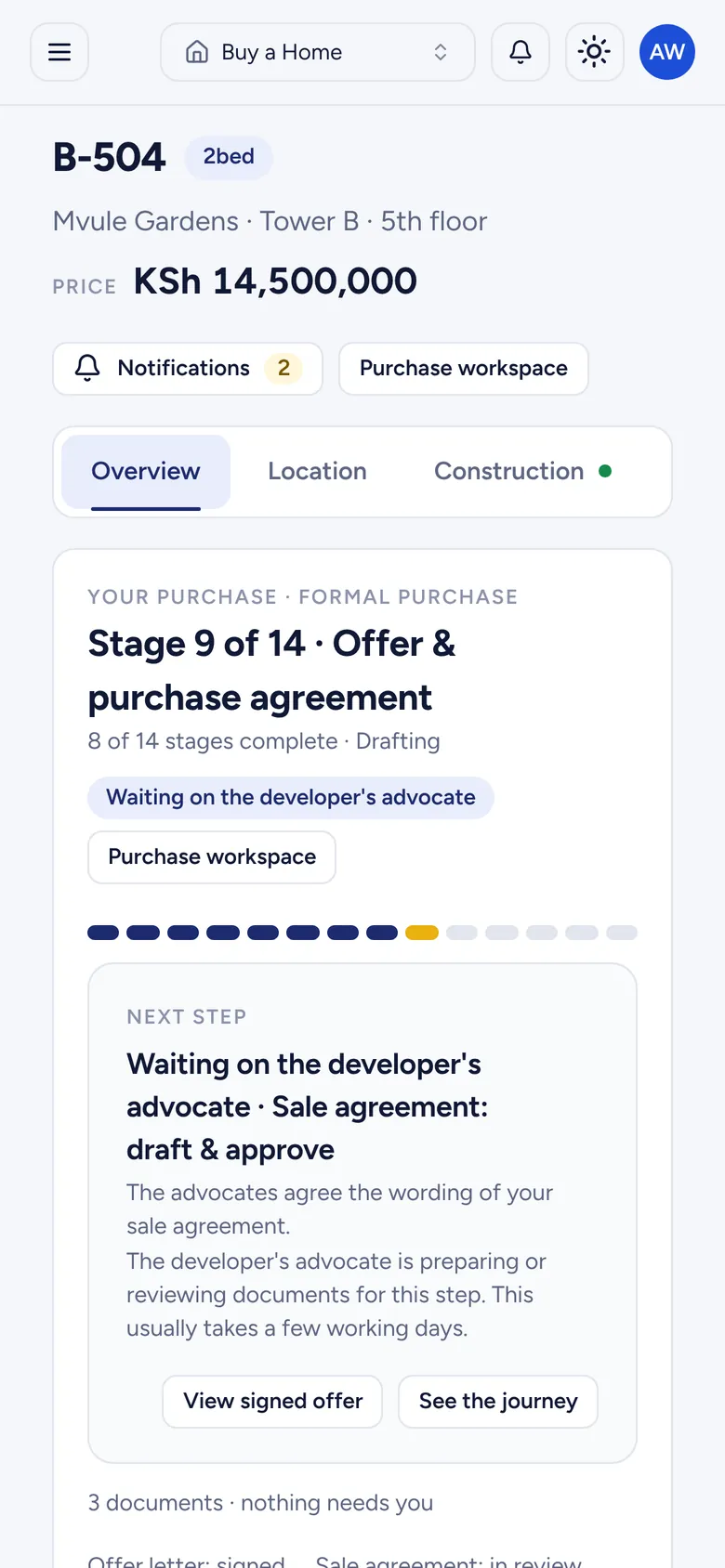
Your purchase is a clear journey of stages, from reservation to title. MyHome shows the stage you're at, the next step and whose turn it is.
02 · Your building
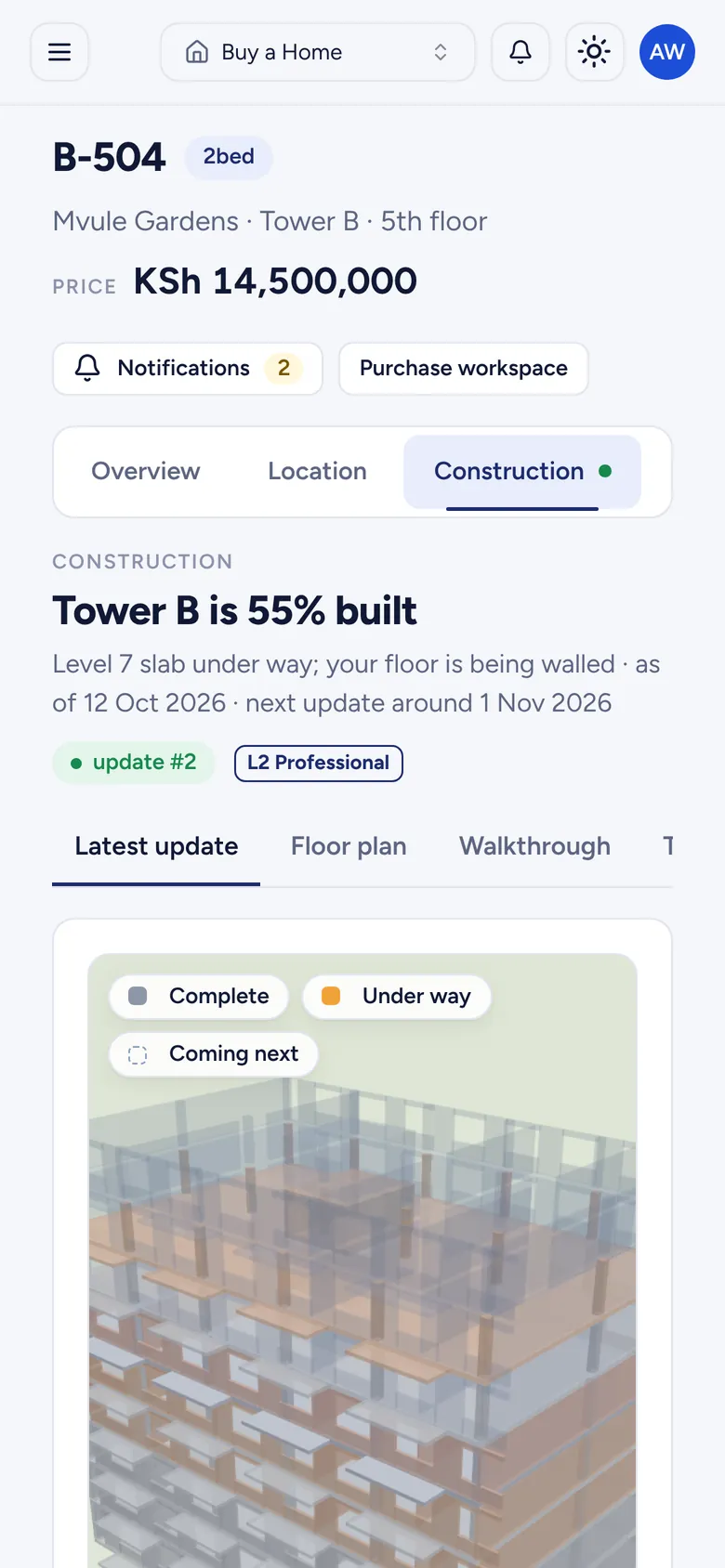
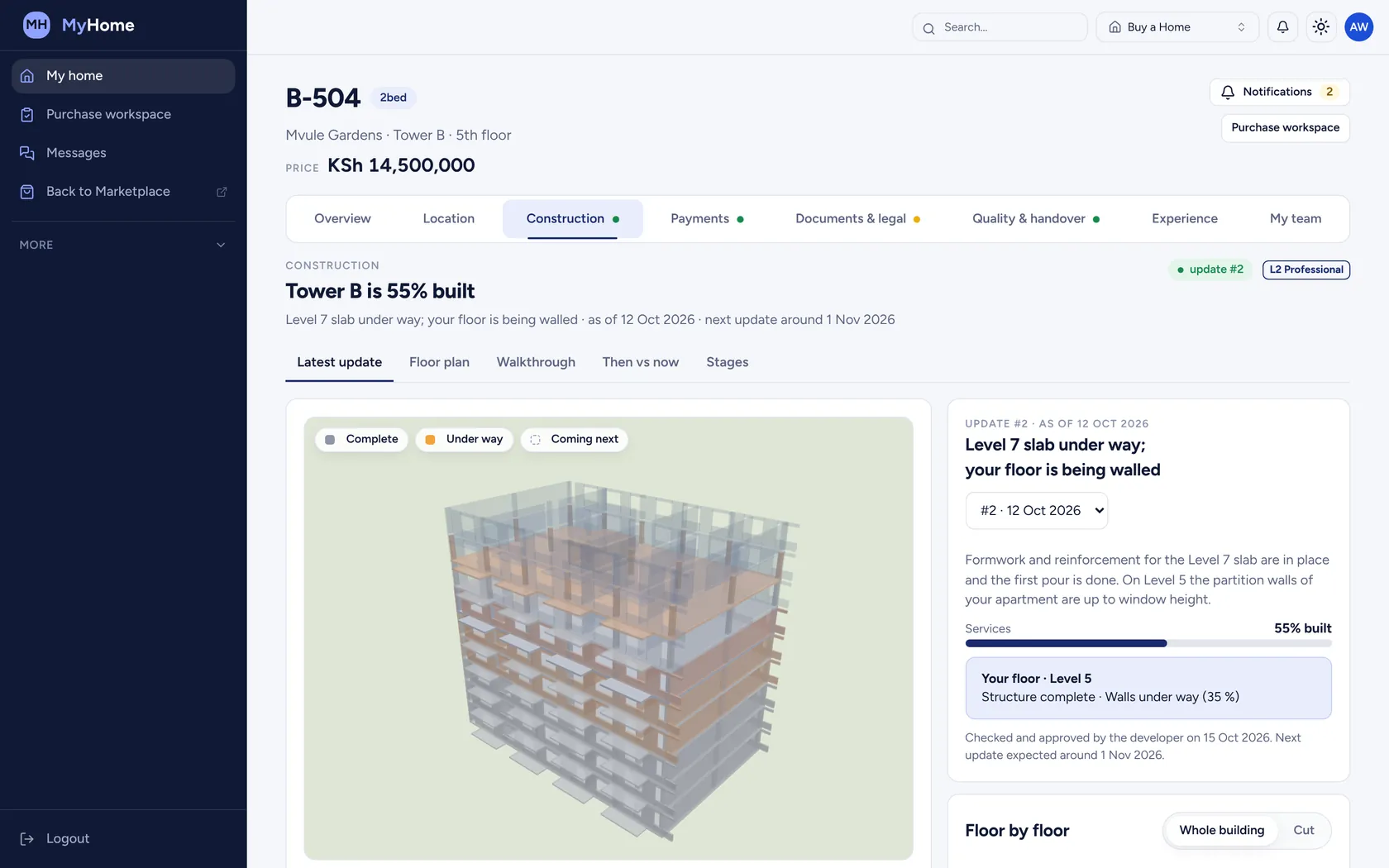
Once a month the site team prepares an update and your developer approves it. You get the building in 3D, with your floor highlighted.
03 · Your payments
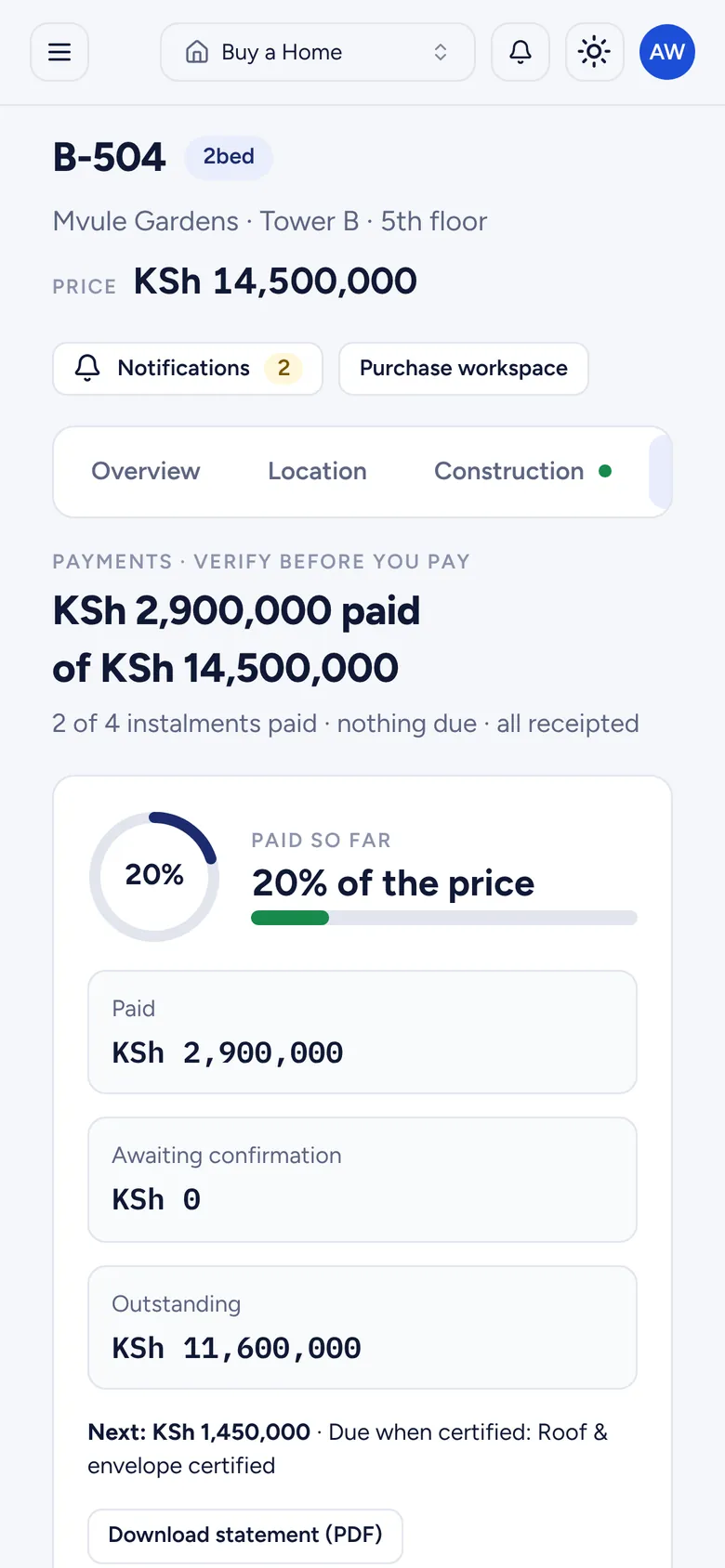
Your schedule, what's due and what each instalment pays for. The account to pay into is verified by an advocate, and any change is flagged.
04 · Your documents
Sign from your phone with a one-time code. The executed copy gets a fingerprint, so a bank or your advocate can confirm it is the real one.
Sale agreement
B-504 · executed copy
SHA-256 fingerprint
Matches the executed copy
Inside MyHome
The same record your developer and advocates work from, shown to you in plain words. Screens show a demo home, B-504.
MyHome · 01 Journey
Reservation, offer, sale agreement, payments and completion, with the next step in plain words and who is holding it.
Next step · developer's advocateMyHome · 02 3D update
Complete, under way and coming next, with your floor and your apartment highlighted and a short note on what happened.
Update #2 · 12 OctMyHome · 03 360° walk
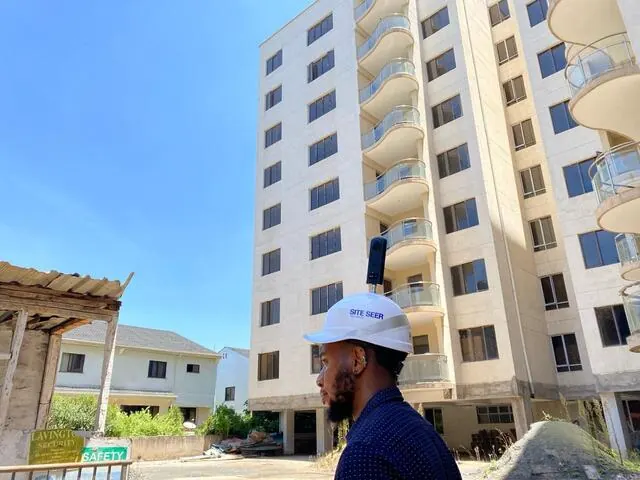
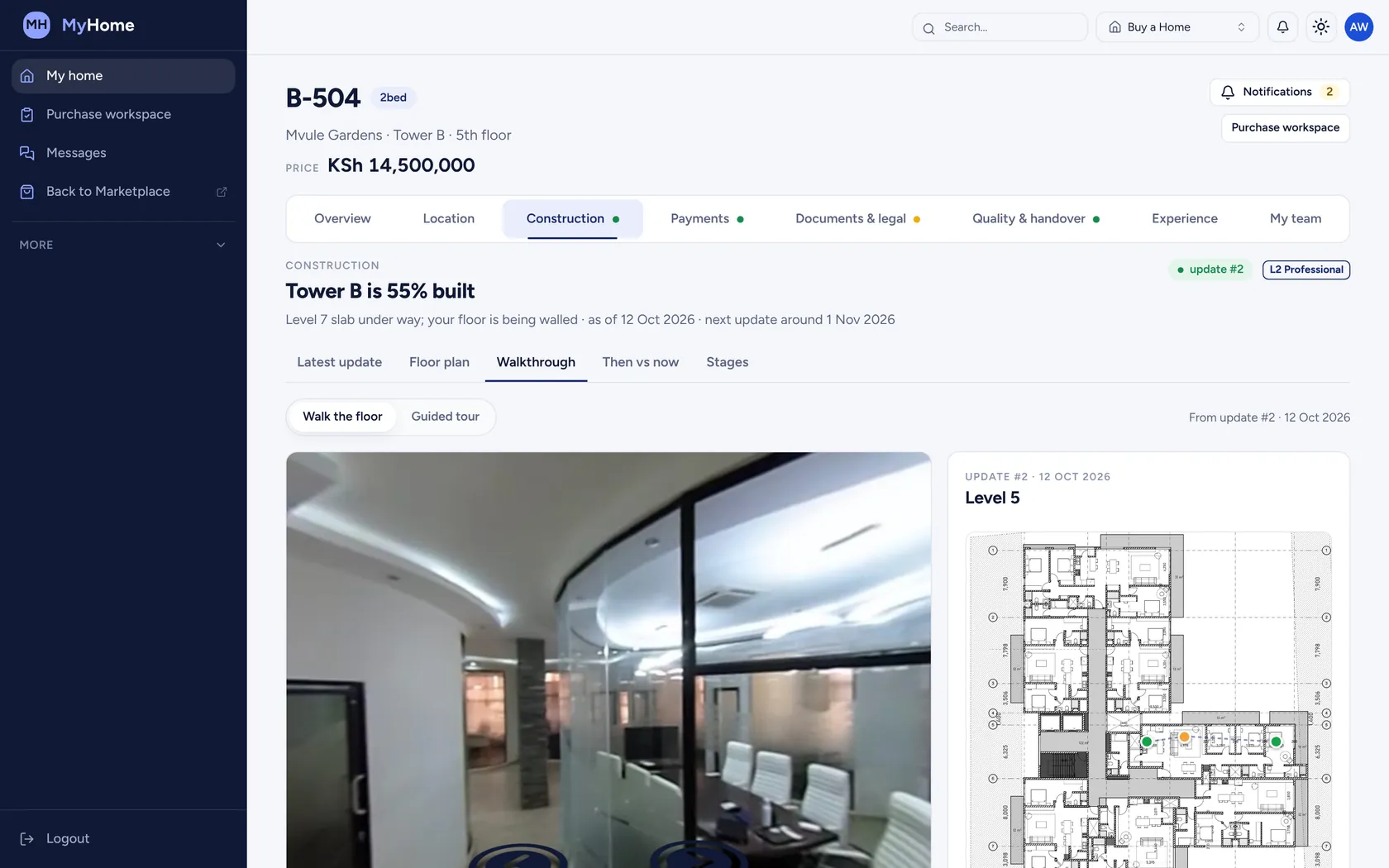
The site team captures 360° photos inside your floor. Walk from point to point on the plan. People and number plates are blurred.
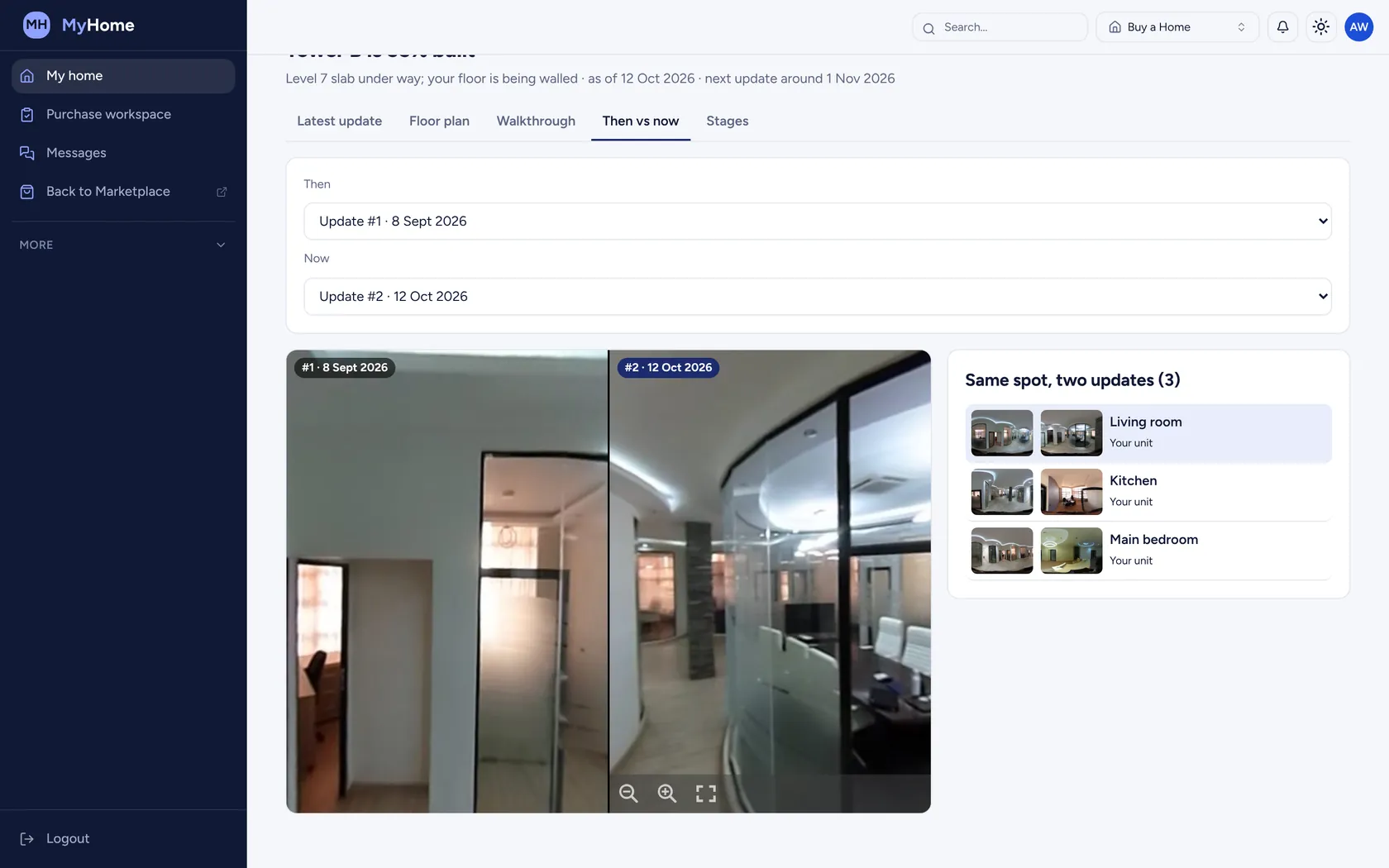
Capture points on your planMyHome · 04 Then and now
Put two updates side by side at the same spot to see exactly what moved. Proof for buyers who live abroad.
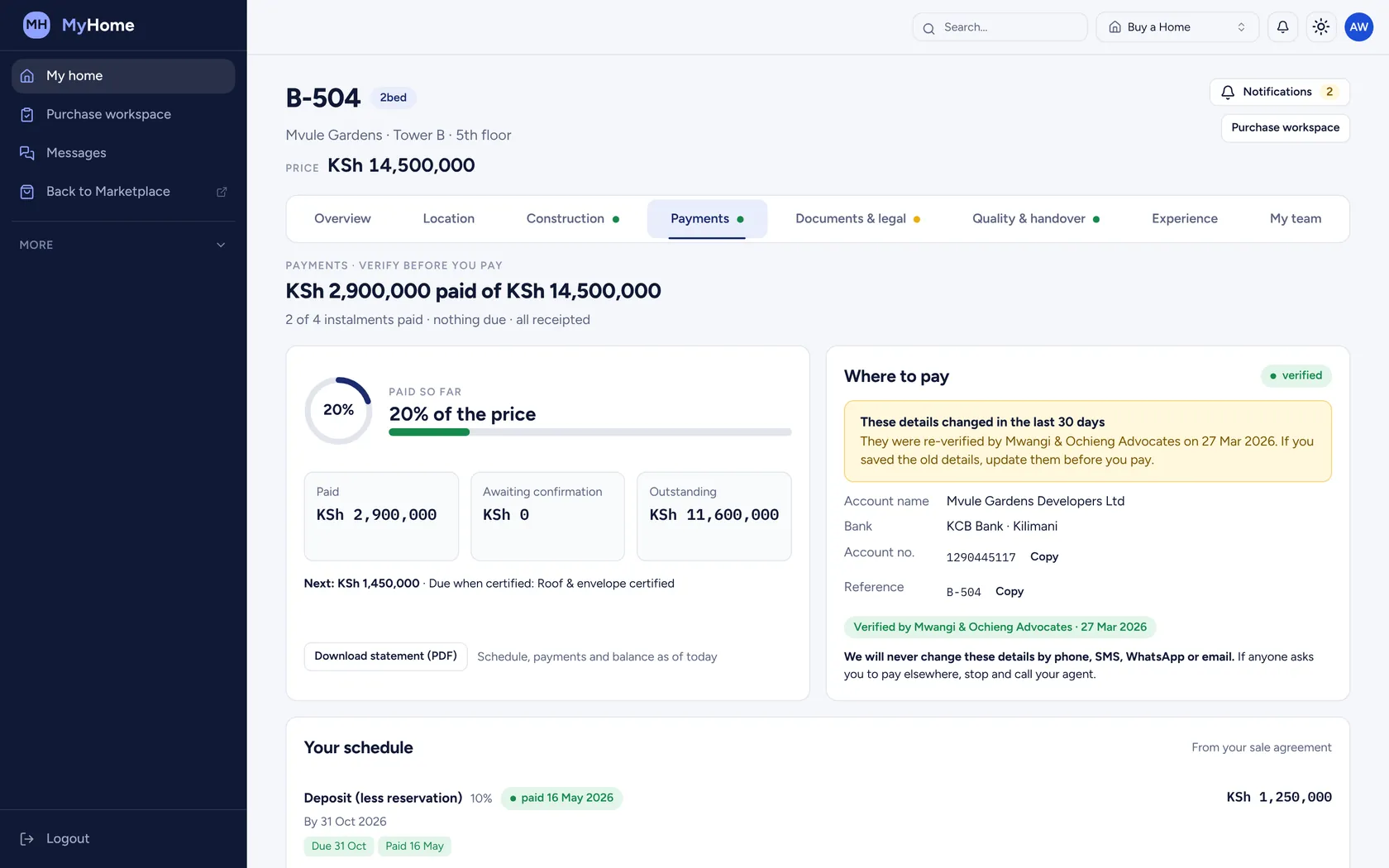
Living room · two updatesMyHome · 05 Payments
Each instalment is tied to the stage of construction it pays for. Receipts and a statement you can download any time.
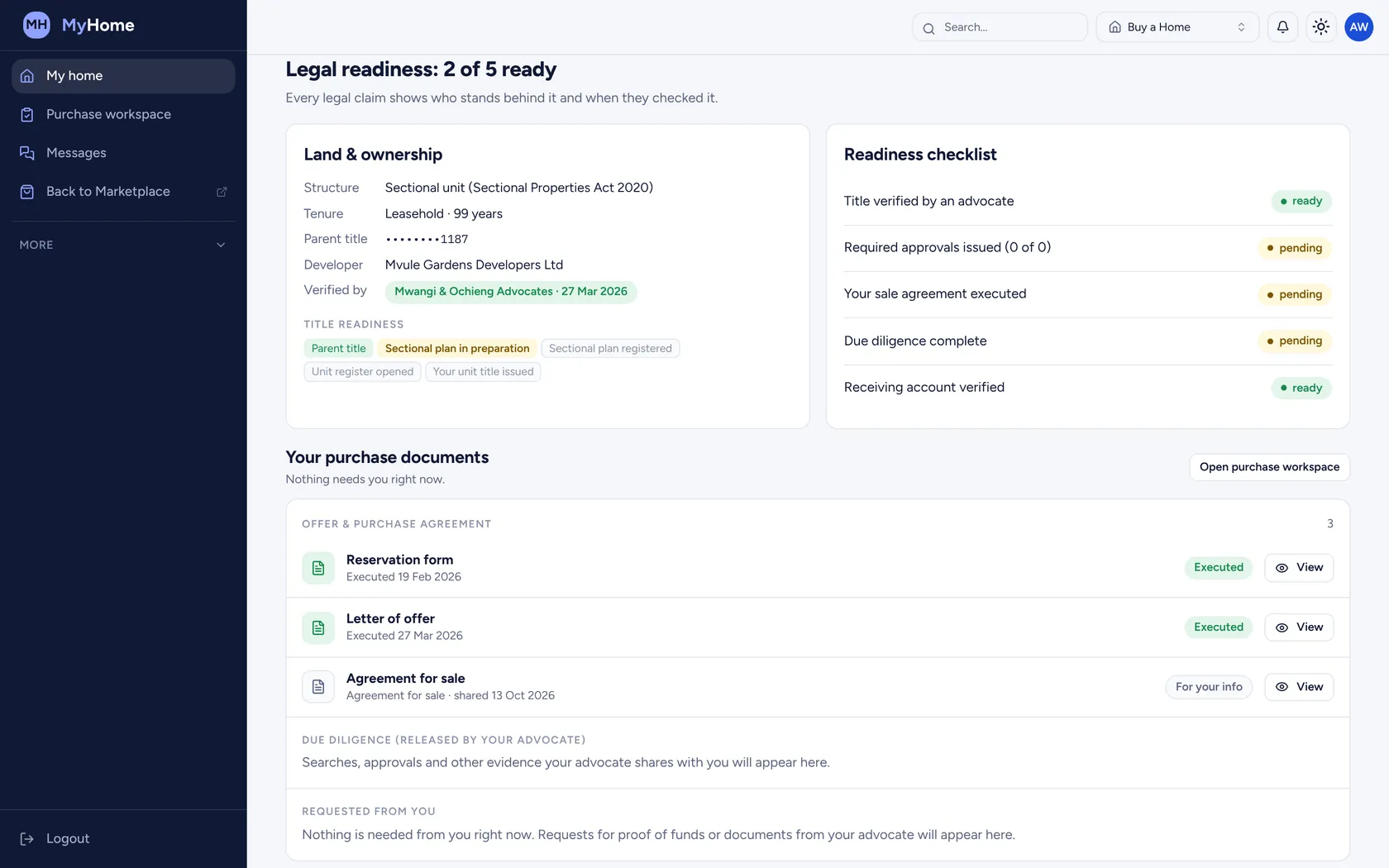
Account verified · changes flagged for 30 daysMyHome · 06 Documents
Reservation form, letter of offer and sale agreement prepared, reviewed and signed online. The legal summary shows who verified each claim.
Legal readiness · 2 of 5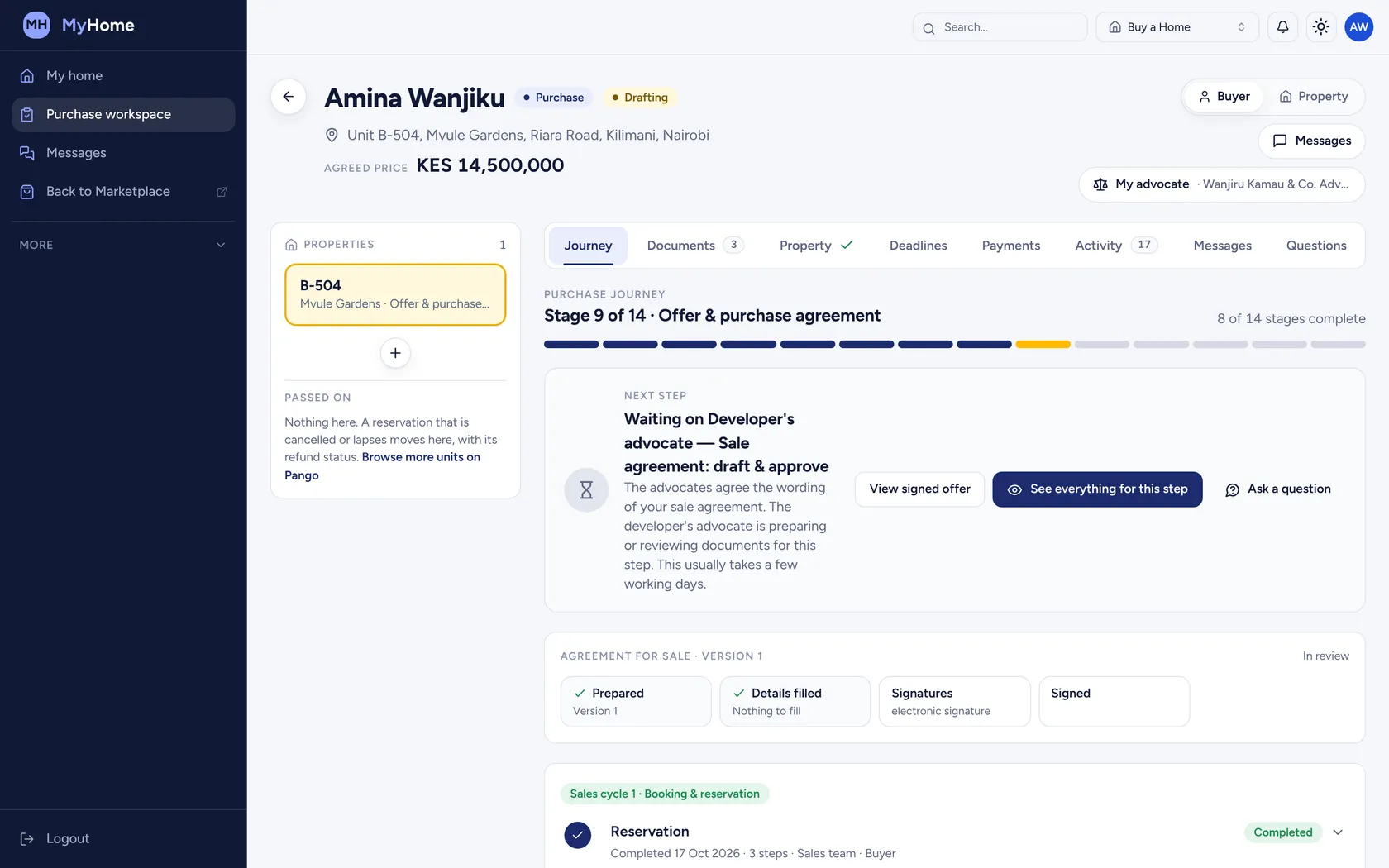
Check a document
SHA-256 fingerprint
Who it's for
Follow your purchase, your payments and your building from reservation to keys.
See the site without flying home: updates, 360° walks and documents from anywhere.
Review, sign and release documents for your client, on the same record.
Check that a signed agreement is the real executed copy before releasing funds.
Give every buyer the same clear picture, and take fewer calls in the sales team.
Questions
What buyers ask before they sign in for the first time.
Sign in with the email your developer has on file. Your home, your payments and your documents are already there.
From the site team's own captures and the building programme, not a sales brochure. Each monthly update is prepared by SiteSeer and approved by your developer.
The receiving account is verified by an advocate before you are asked to pay. Any change to it is flagged for 30 days.
Yes. Invite your own advocate, or appoint one already on SiteSeer. They review documents, run the searches and release what you need to see.
No. Updates show you progress. Certifying a milestone for payment stays with the project's consultants.
Sign in with the email you gave your developer and your home is already there. Developers can book a walkthrough to give every buyer MyHome.